Your entire rental operation. One connected system.
Manage rent, tenants, payments and utilities without scattering records across Excel, WhatsApp and notebooks.
Property management ko scattered mat rakhiye.
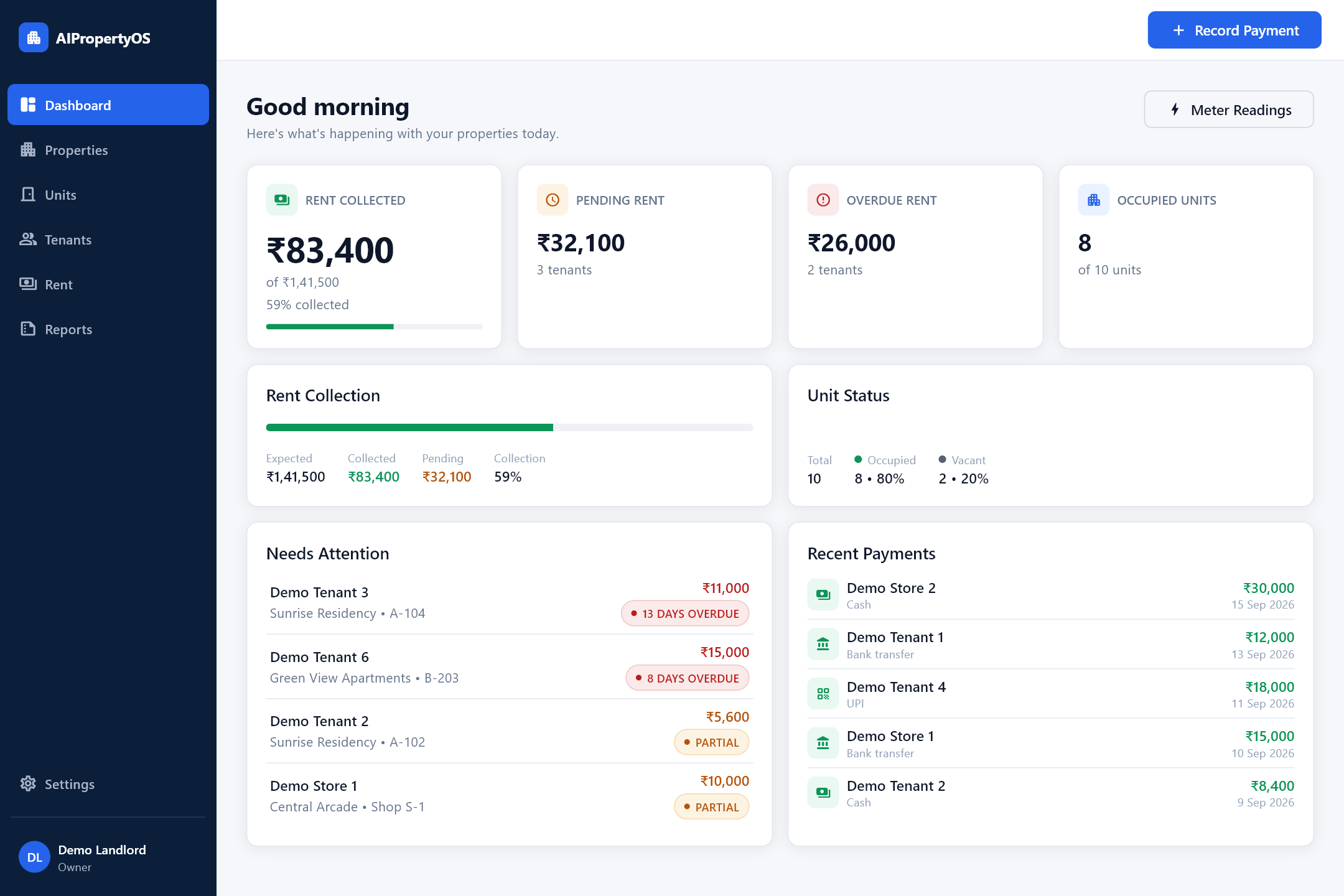
AIPropertyOS on Windows — sample demo data.
Stop managing properties across Excel, WhatsApp and notebooks.
Know what’s paid.
Know what’s pending.
Know what needs attention.
Keep your rental records connected so you can see where things stand without checking multiple apps, chats or notebooks.
Built for how landlords actually work.
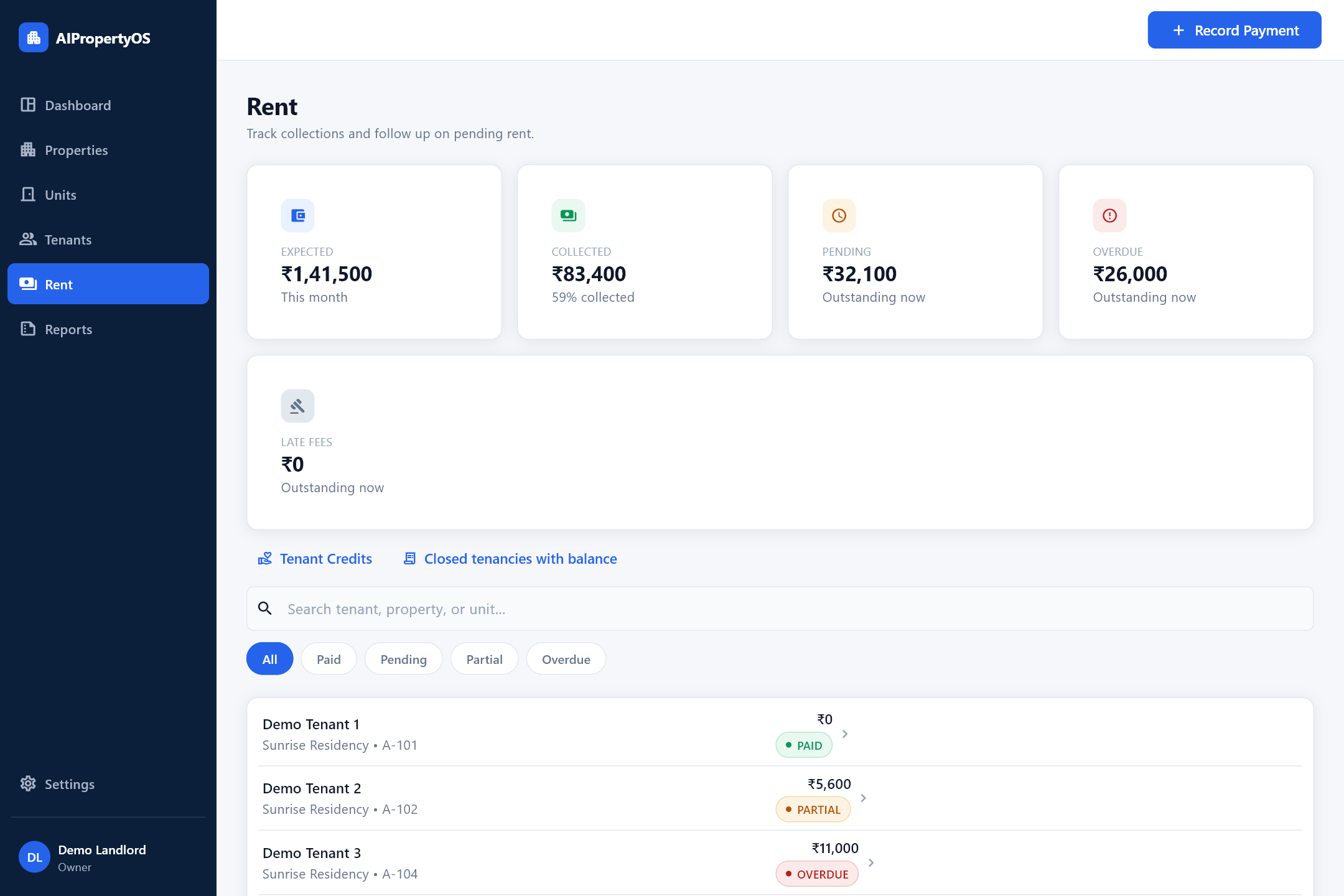
Rent, at a glance
Expected, collected, pending and overdue — with every tenant’s status.
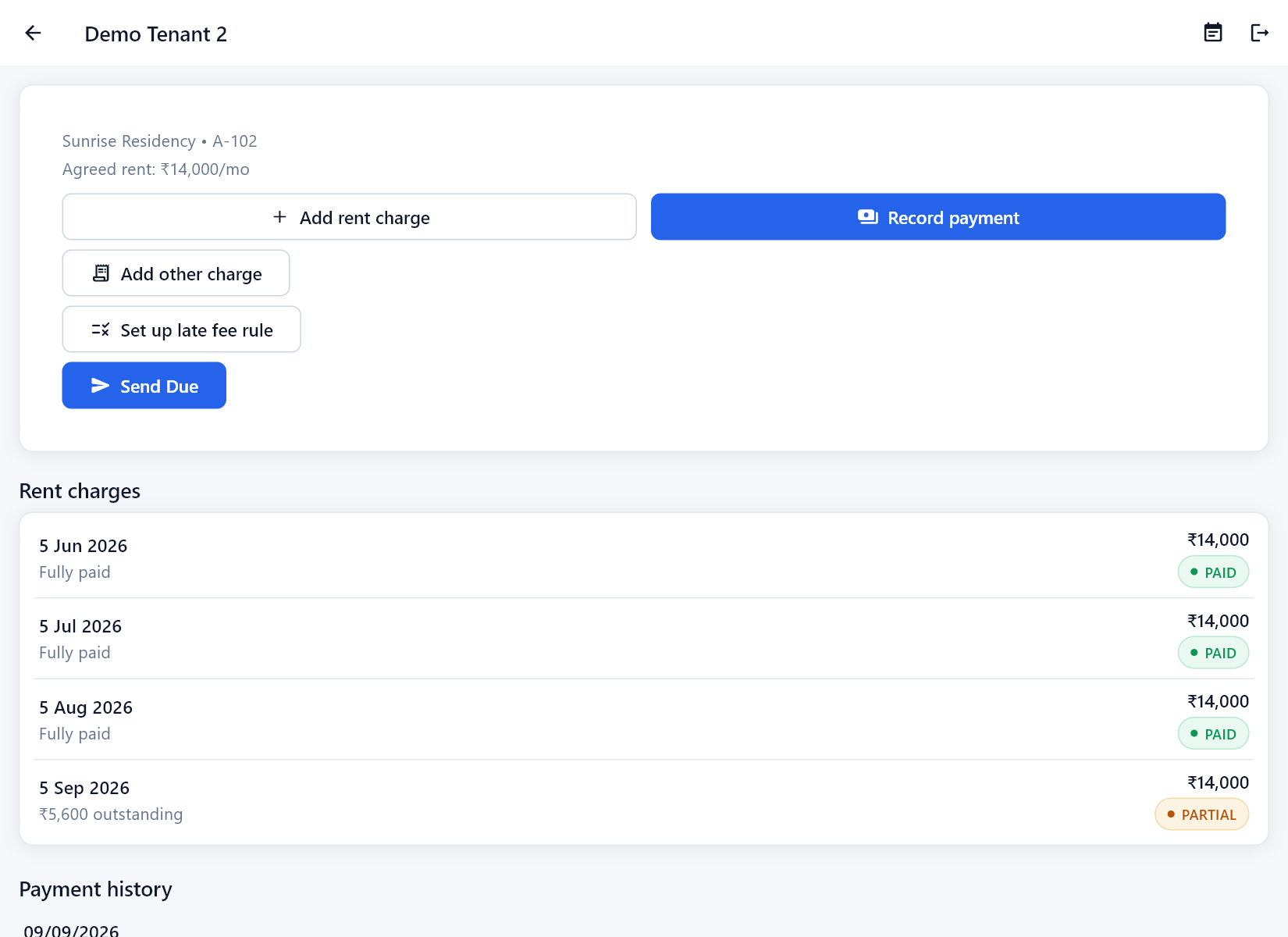
Every tenant’s rent and payments
Charges, status and actions like Record payment and Add other charge, in one place.
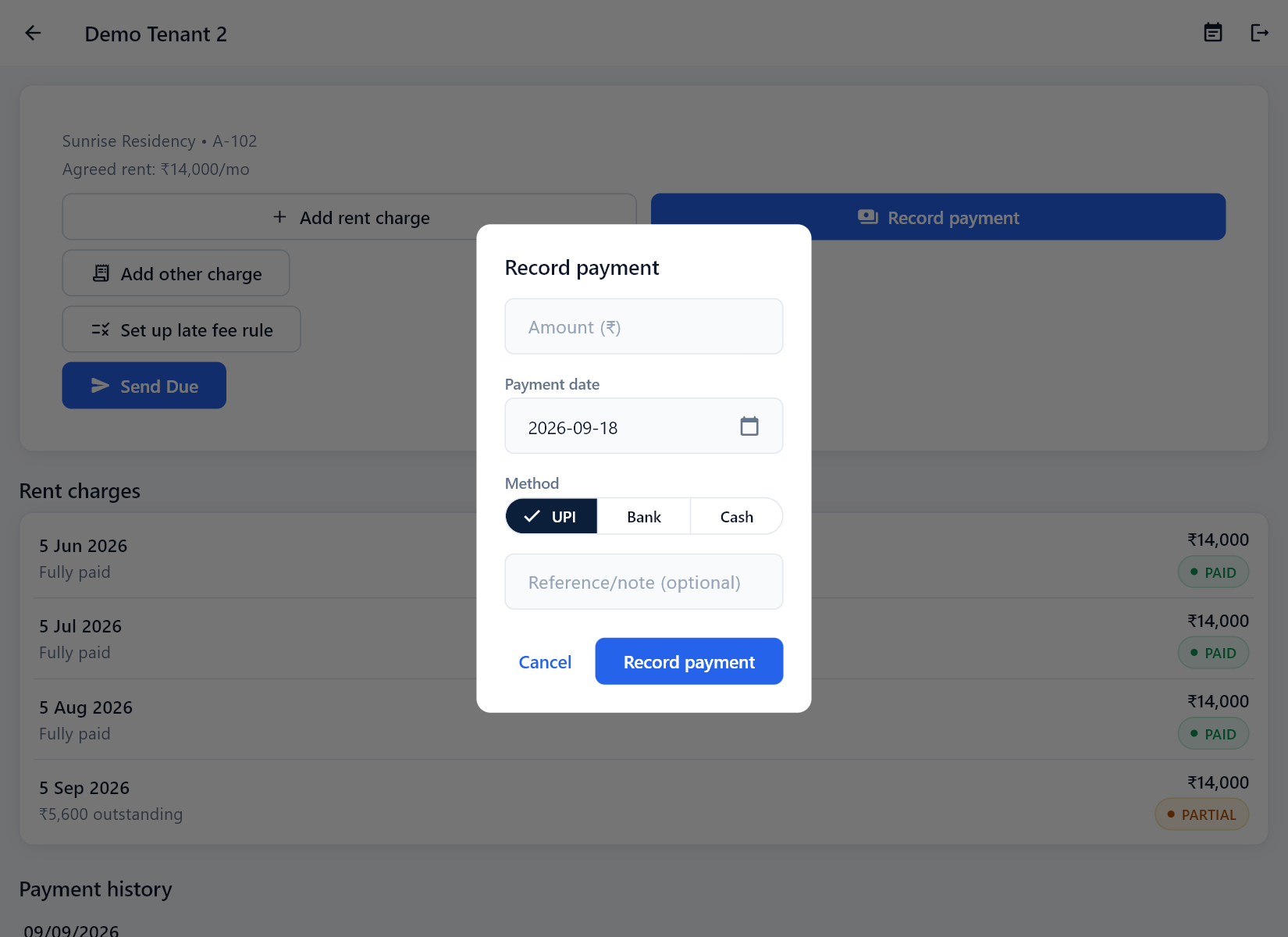
Record a payment
Enter the amount, date and method — UPI, bank transfer or cash.
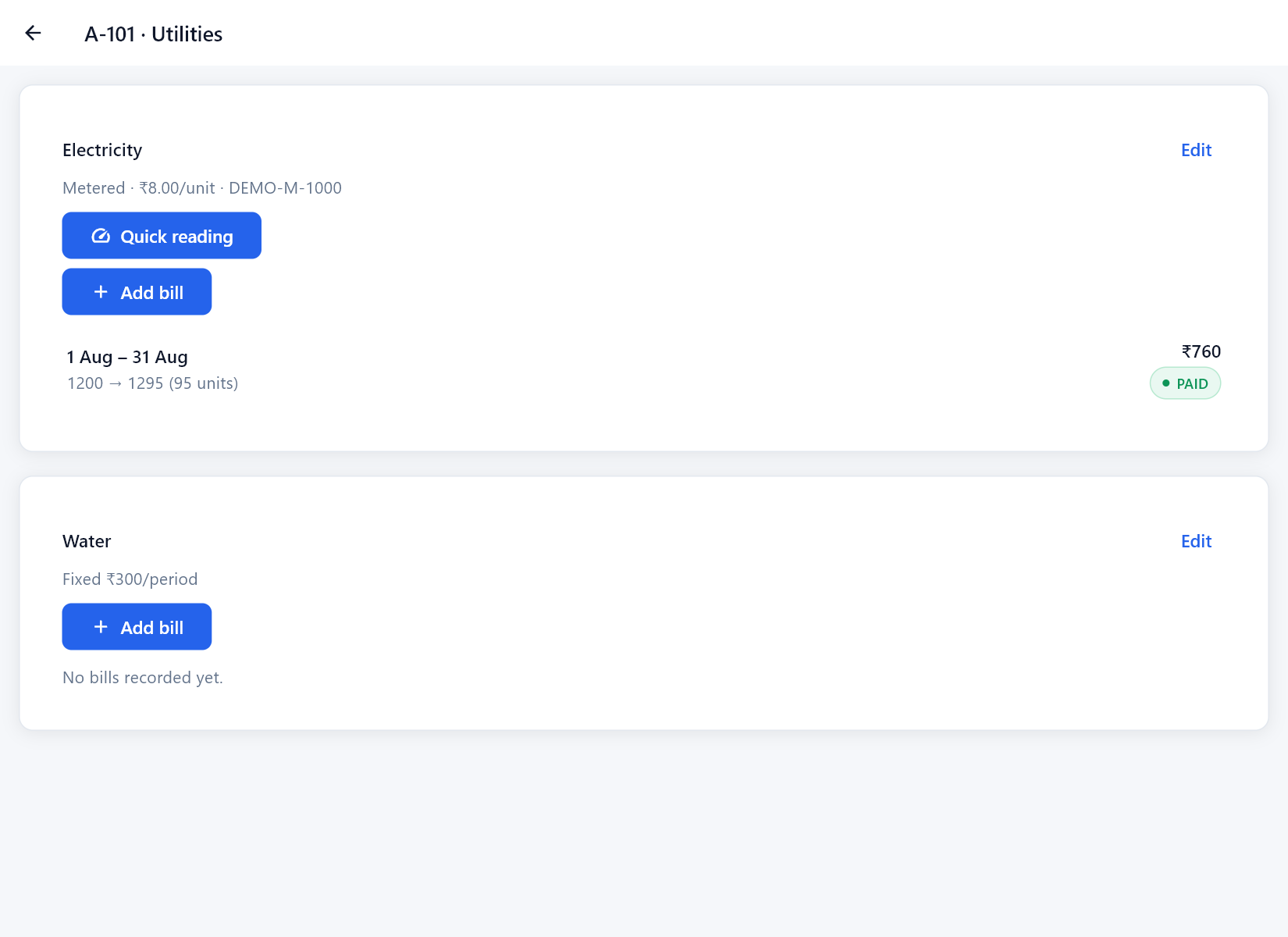
Utilities and meter readings
Electricity and water billed alongside rent.
Screenshots show AIPropertyOS on Windows with sample demo data.
Everything a landlord actually needs.
Rent clarity
See what’s received and what’s pending, across your whole portfolio.
Tenant records
Keep tenancy details connected to the right unit, with full history.
Payment history
Cash, UPI, or bank transfer — including partial payments, itemised.
Utility tracking
Electricity and water charges tracked alongside rent, not separately.
Reports
See the numbers across your portfolio whenever you need them.
Backup & export
Download an independent copy of your records, any time.
Get started in four simple steps.
Add your property and units
Connect tenants
Track rent, payments & utilities
See the complete picture
Work from your desk.
Check it from your phone.
Sign in with the same account on both devices. Your records stay in sync, so you can pick up where you left off wherever you’re working.
Same account. Same data.
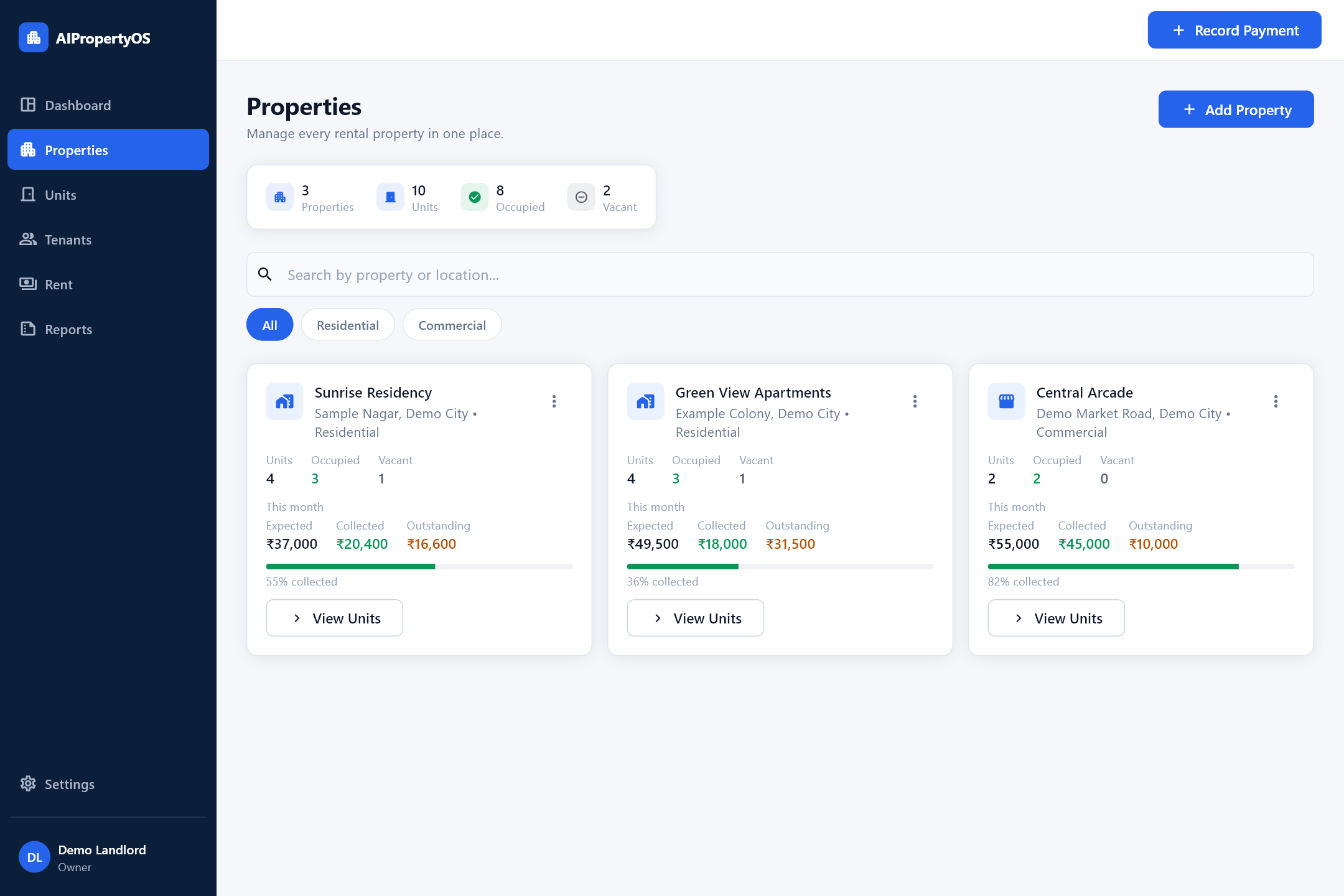
See AIPropertyOS in under a minute.
A short walkthrough of AIPropertyOS on Windows, using sample/demo data.
Plans scale with your number of units.
Starting at
1–5 active units
30-day free trial · No card required
View all plans
| Active units | Monthly | Yearly |
|---|---|---|
| 1-5 units | ₹299 | ₹2999 |
| 6-10 units | ₹499 | ₹4999 |
| 11-20 units | ₹699 | ₹6999 |
| 21-30 units | ₹899 | ₹8999 |
| 31-50 units | ₹1199 | ₹11999 |
| 51-75 units | ₹1499 | ₹14999 |
| 76-100 units | ₹1999 | ₹19999 |
| 101-150 units | ₹2999 | ₹29999 |
| 151-250 units | ₹4999 | ₹49999 |
| 251-500 units | ₹7999 | ₹79999 |
| 501-750 units | ₹11999 | ₹119999 |
| 751-1000 units | ₹14999 | ₹149999 |
Prices are in Indian Rupees and exclude applicable taxes. Every plan includes all features on both Windows and Android.
Try it before you decide.
30-day free trial
No card required to start.
Razorpay-hosted payments
AIPropertyOS never sees your card or bank details.
Backup & export
Download your data independently, any time.
Clear policies
Published refund & cancellation terms.
Real support
Windows + Android
Same account · same data.
Questions, answered.
Is there a free trial?
Yes. Every new account gets a 30-day free trial, with no unit limit.
Do I need a card?
No. No card or payment details are required to start your trial.
Can I use Android and Windows?
Yes, both are supported today.
Will both devices show the same data?
Yes. Sign in with the same account on both, and you’ll see the same, current data.
How does pricing work?
Plans are priced by the number of active units you manage, billed monthly or yearly via Razorpay.
How do I cancel?
In-app self-service cancellation isn’t available yet. Contact support@digimarket26.com — future renewals stop, and access continues until your already-paid period ends.
Can I backup/export my data?
Yes. Download a full, independent, human-readable backup (CSV + JSON) at any time, from inside the app.
Does AIPropertyOS work fully offline?
No. Full offline mode is not currently a feature of AIPropertyOS — an internet connection is required to sync and save your data.
Bring your property management into one system.
30-day free trial. No card required.
Verified V1.0.0 release · Android APK · Windows ZIP